
Download Screen Captures Pro – Free Screen Recording, Video Editing & Demo Tool
Screen Captures Pro is a powerful yet easy‑to‑use toolkit that lets you turn anything that appears on your computer monitor into a high‑quality video. Whether you need to demonstrate a new software feature, create a tutorial for a desktop application, record gameplay, or capture a webinar, this app offers full‑screen or custom‑region recording, microphone or line‑in audio capture, and built‑in editing tools. The result is a polished movie‑style video that can be shared instantly or exported for later use. Designed for Windows, macOS, and even mobile platforms, Screen Captures Pro combines the reliability of a professional screen recorder with the simplicity of a consumer‑grade app, making it an ideal choice for educators, developers, gamers, and anyone who wants to showcase what’s happening on their screen.
Key Features of Screen Captures Pro
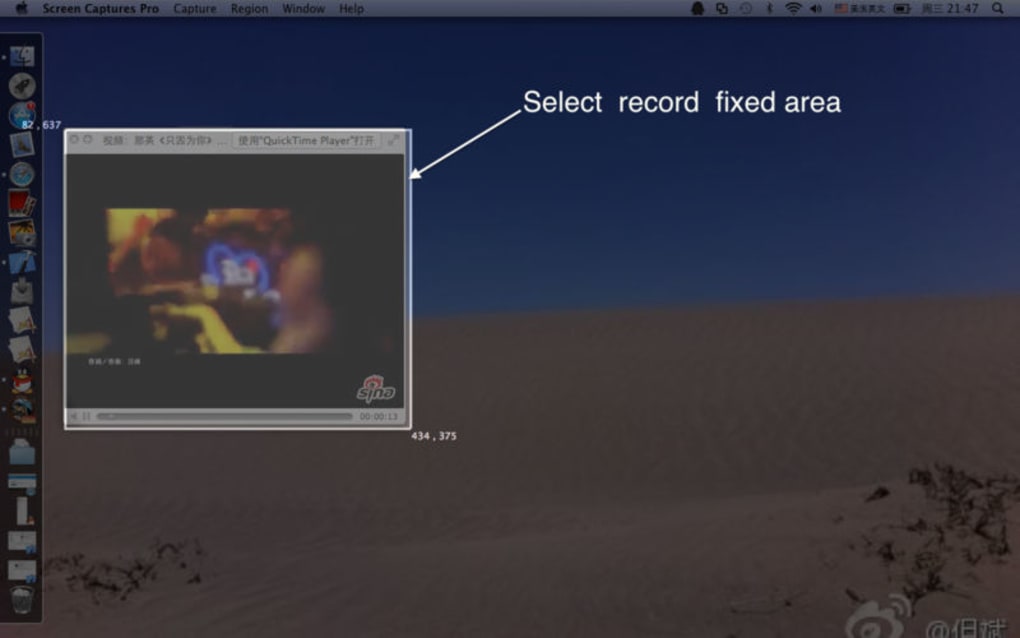
- Full‑screen, window, or custom‑area capture with real‑time preview.
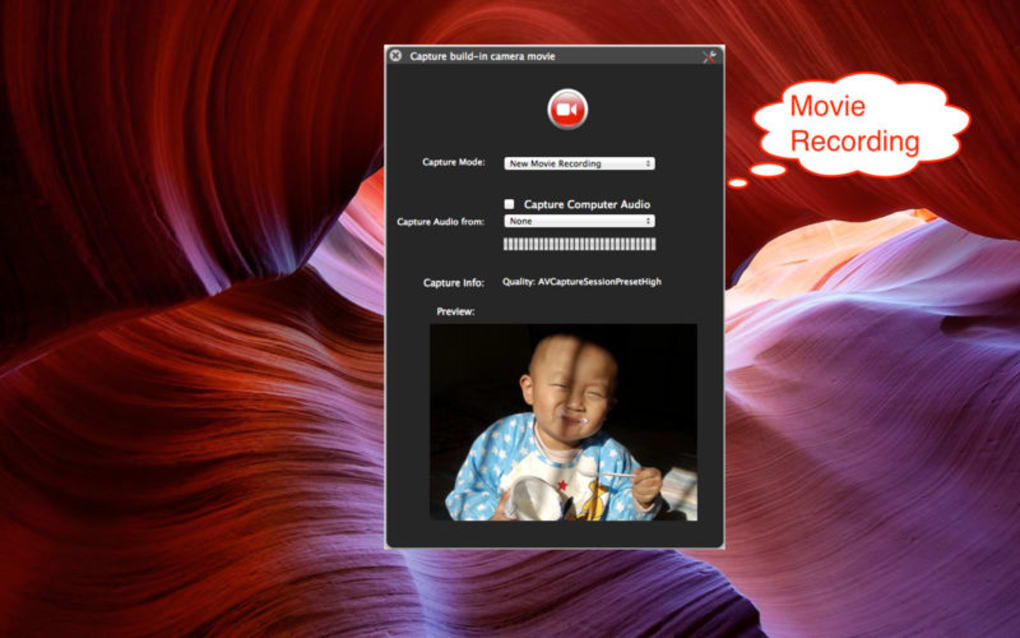
- Separate audio tracks from microphone, system sound, or external devices.
- Built‑in video editor for trimming, adding captions, arrows, and callouts.
- Export options for MP4, AVI, MOV, GIF, and image sequences.
- One‑click sharing to YouTube, Vimeo, Dropbox, and popular cloud services.
- Keyboard shortcuts and hot‑keys for start/stop, pause, and screenshot.
- Scheduled recordings for automated capture of webinars or live streams.
- Support for high‑DPI displays and 4K resolution recording.
- Lightweight installer and minimal CPU impact for smooth performance.
- Free version with watermark‑free output; paid upgrade removes watermark and adds premium codecs.
Installation & Usage – Step‑by‑Step Guide
Downloading and Installing
Begin by clicking the Download button on the official Screen Captures Pro website. The installer is a small .exe (Windows) or .dmg (macOS) file, typically under 50 MB. Run the file and follow the on‑screen wizard: accept the license agreement, choose the destination folder, and let the installer copy the necessary binaries. After installation, launch the app from the Start menu or Applications folder. The first launch may prompt you to grant screen‑recording permissions—grant these to ensure the software can capture video and audio.
Recording Your First Video
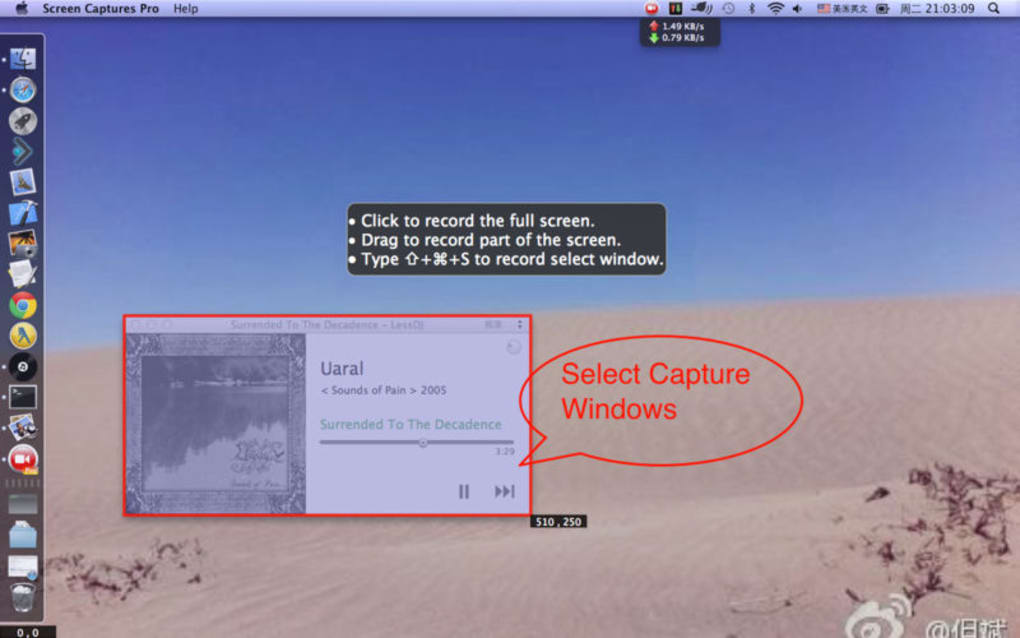
Once the main window appears, you’ll see a clear control panel with three primary buttons: Record, Pause, and Stop. Click the dropdown next to Record to select the capture mode—Full Screen, Window, or Custom Region. For tutorials, the Custom Region is ideal because it focuses the viewer’s attention on the relevant part of the screen. Choose your audio source from the microphone icon; you can record system sound, an external headset, or both simultaneously.
Press Record to start. While recording, a subtle overlay shows the elapsed time and a tiny toolbar for quick actions like taking a snapshot or toggling the cursor visibility. When you’re satisfied, click Stop. The video automatically opens in the built‑in editor where you can trim the beginning or end, add text annotations, and insert transition effects. Finally, hit Export, select your desired format, and choose a destination folder or a cloud service for instant sharing.
Compatibility, Pros & Cons
Screen Captures Pro runs natively on Windows 10/11 (64‑bit) and macOS 12 Monterey or later. A lightweight companion app is also available for Android 8+ and iOS 13+, allowing you to record mobile screens and sync the footage with the desktop version via a cloud account. System requirements are modest: a dual‑core CPU, 2 GB RAM, and at least 200 MB of free disk space. The software is optimized for both Intel and Apple Silicon chips, delivering smooth 60 fps capture on most modern laptops.
Pros
- Intuitive UI that shortens the learning curve for beginners.
- High‑resolution recording with minimal performance impact.
- Comprehensive editing tools eliminate the need for third‑party software.
- Free version provides watermark‑free exports, making it truly free.
- Cross‑platform support ensures consistency across desktop and mobile.
Cons
- Advanced codecs (e.g., HEVC) are only available in the paid upgrade.
- Scheduled recordings lack granular calendar integration.
- No built‑in live‑streaming feature; you must upload after recording.
- Some users report occasional audio sync drift on older hardware.
- Limited collaboration tools compared with enterprise‑grade alternatives.
Frequently Asked Questions
Can I record system audio without a microphone?
Yes. In the audio source selector, choose “System Sound” only. The app will capture any sound your computer produces, such as music, game audio, or video playback, without requiring an external microphone.
Is there a limit to the length of a free recording?
The free version imposes no time limit. You can record for as long as your storage allows. However, extremely long recordings may benefit from the paid version’s higher‑efficiency codecs.
How do I share a video directly to YouTube?
After exporting, click the “Share” button in the editor and select YouTube. You’ll be prompted to log in to your Google account, add a title, description, and tags, then upload with a single click.
Does Screen Captures Pro support 4K recording?
Yes. On compatible hardware, you can select 3840 × 2160 resolution in the settings panel. The app automatically adjusts bitrate to maintain smooth playback.
Can I edit recordings on my mobile device?
The mobile companion app includes basic trimming and caption tools, but full‑featured editing (layers, callouts, transitions) is only available on the desktop version.
Conclusion – Why Screen Captures Pro Is Worth Your Download
Screen Captures Pro delivers a rare combination of simplicity and depth. Its free tier already provides everything needed to produce professional‑looking tutorials, demos, and gameplay highlights without watermarks. The built‑in editor removes the hassle of juggling separate video‑editing software, while cross‑platform compatibility ensures you can capture from any device you own.
For power users, the paid upgrade unlocks advanced codecs and removes the few minor limitations noted above. Whether you are a teacher creating lesson videos, a developer documenting an API, or a gamer sharing epic moments, Screen Captures Pro is a secure, regularly updated tool that streamlines the entire workflow from capture to publish. Download Screen Captures Pro today and start turning your screen activity into polished, share‑ready movies.







